
Contact Type
Contact Types are like categories, labels, or groups you allocate to your contacts for easier and more useful segregation. They can be customized to suit your business needs.
Assigning Contact Type
Contact can have only one Type at a time
When creating a new contact, Contact type is a mandatory field with a dropdown to choose from the existing types.
For an existing contact, the Contact Type can be updated on the contact details page
Contact type can be assigned from the "Update Contact" action in Workflows.

Adding, renaming, or deleting Contact Types
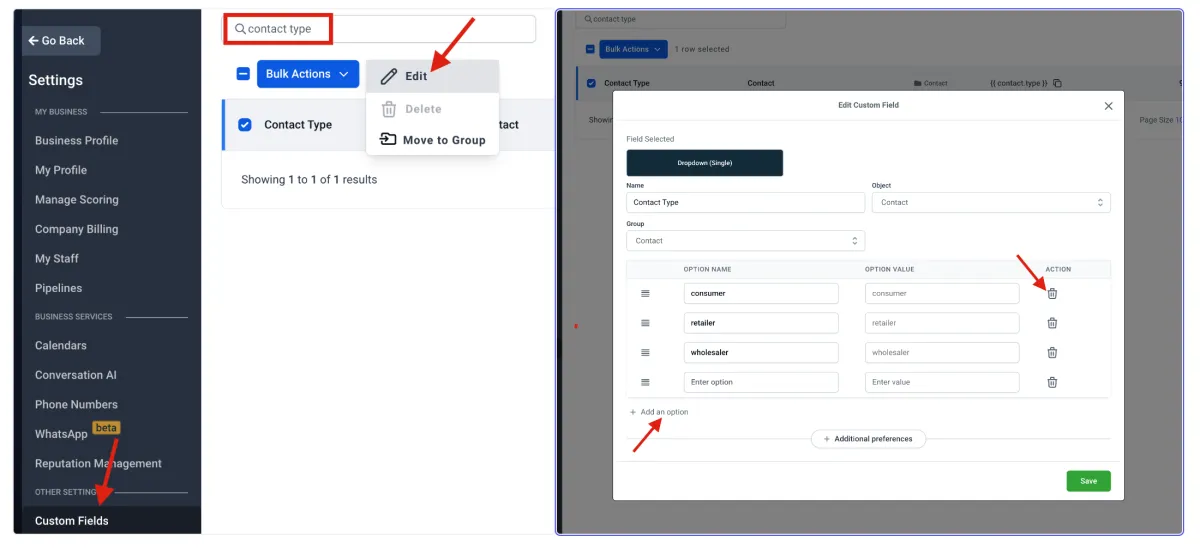
Navigate to Settings > Custom Fields and search for "Contact Type" and click "Edit"
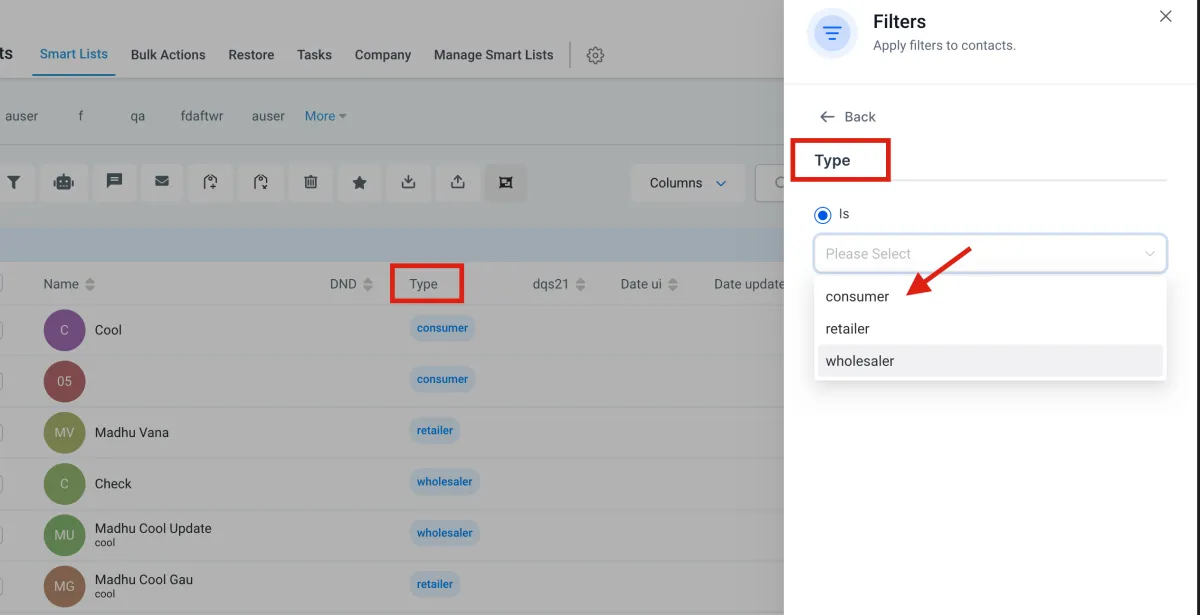
Filtering based on Contact Type
Use the "Type" filter in Smartlist filter to effectively create and save different filter views for different contact types.
Couldn't find what you were looking for?
Open a support Ticket and ask us anything you need
Email Marketing and automation to grow your business.
Copyright © BroadEngagement| Powered by Refindable.